
Winstrike Registration and Verification: Step-by-Step Instruction
Here's all the steps required to register an account on Winstrike. After creating an account, you will be able to start right away! And when you get your first rewards, you will need to verify your Winstrike account to withdraw them. Both procedures are quick and only involve a few steps.
REGISTRATION
How to register an account on Winstrike
1 Click on Registration
Click on the Sign up button located in the upper right corner of the website or mobile app.
Go to Sign Up Page
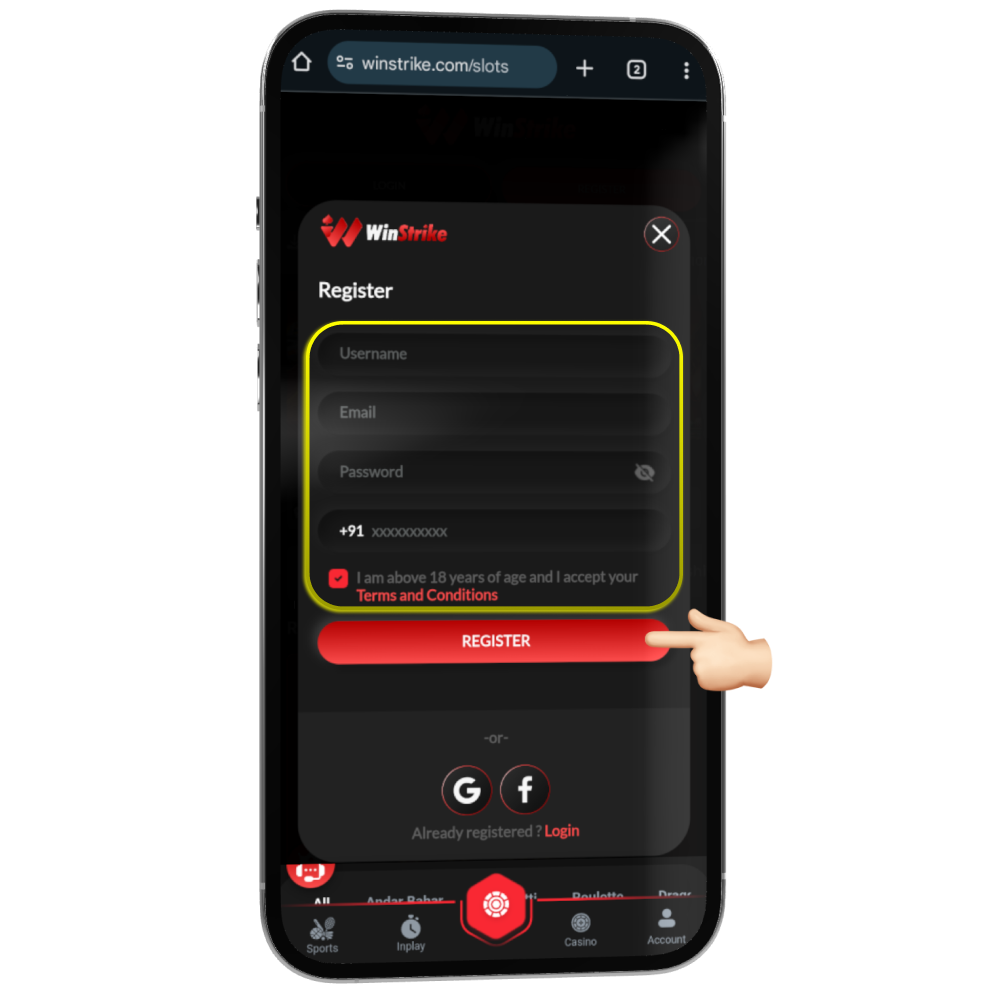
2 Fill in your Details
The register now button will open a simple form where you need to fill in all the details like username, email, password, and phone number, and then click Register.
Proceed to Form3 Verify OTP
Type in the OTP received on the number that you have submitted and click Verify. Viola, you have successfully created an account on Winstrike!
Enter NOW!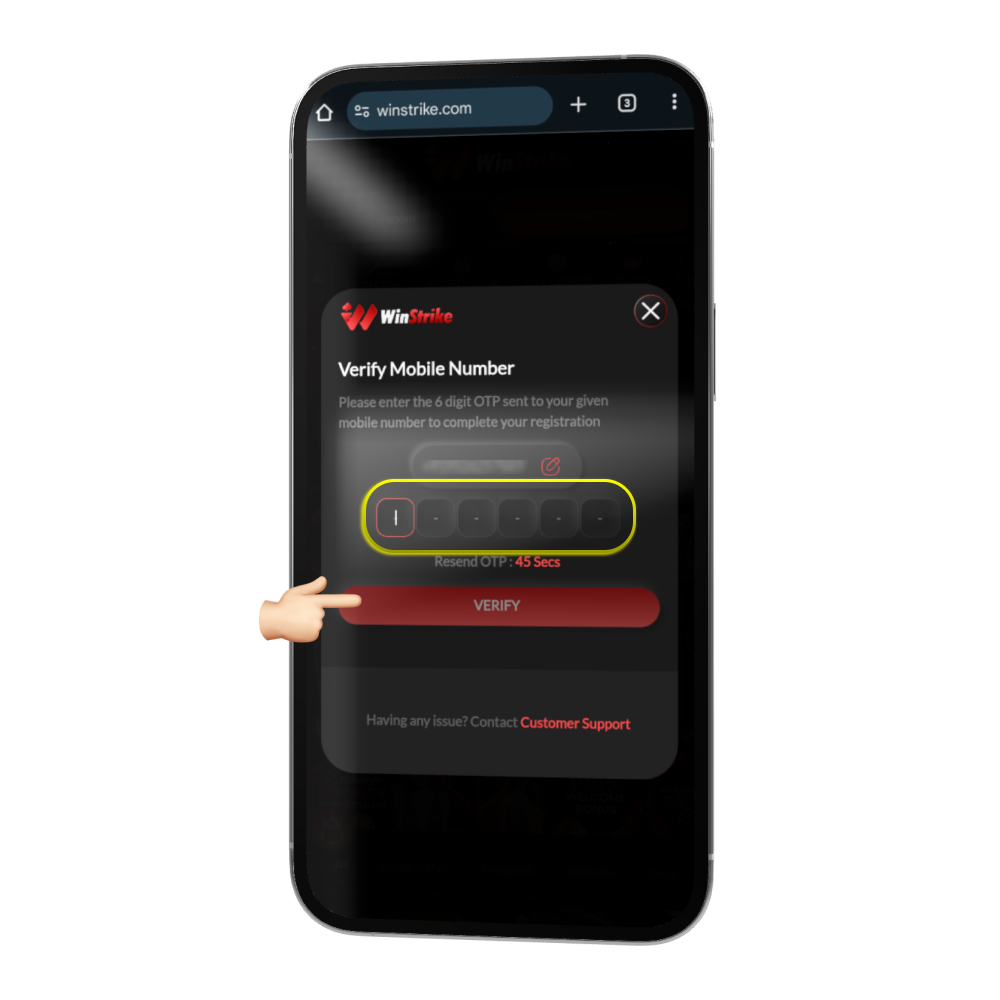
Verify Your Account
4 Navigate to Account
Once you have logged into Winstrike, click the Account button on the bottom right part of the app screen.

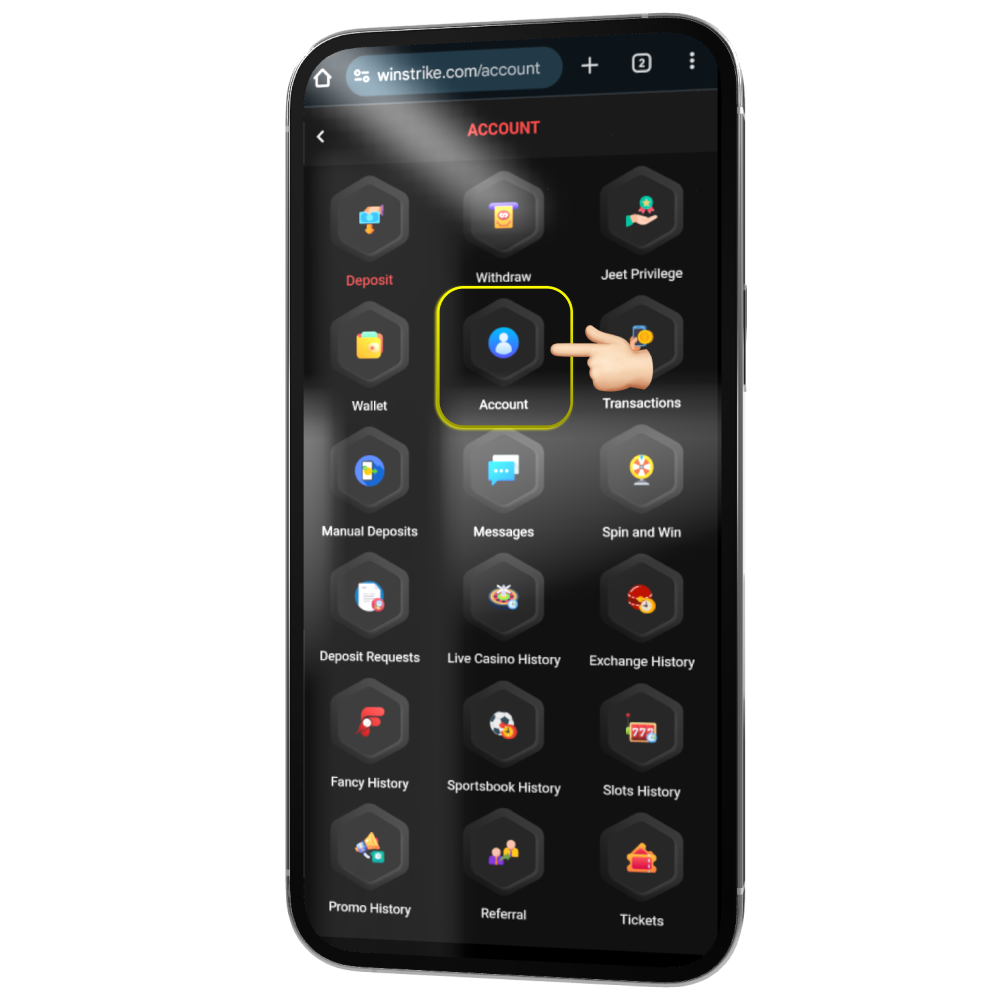
5 Access My Account
From the My Account screen, click on the Account button again, located near your user ID, to proceed to your profile settings.
6 Complete Verification
Here you can manually verify your phone number, name, and email to ensure successful logins and seamless transactions in the future. Fill in the required details and submit.
Verify Now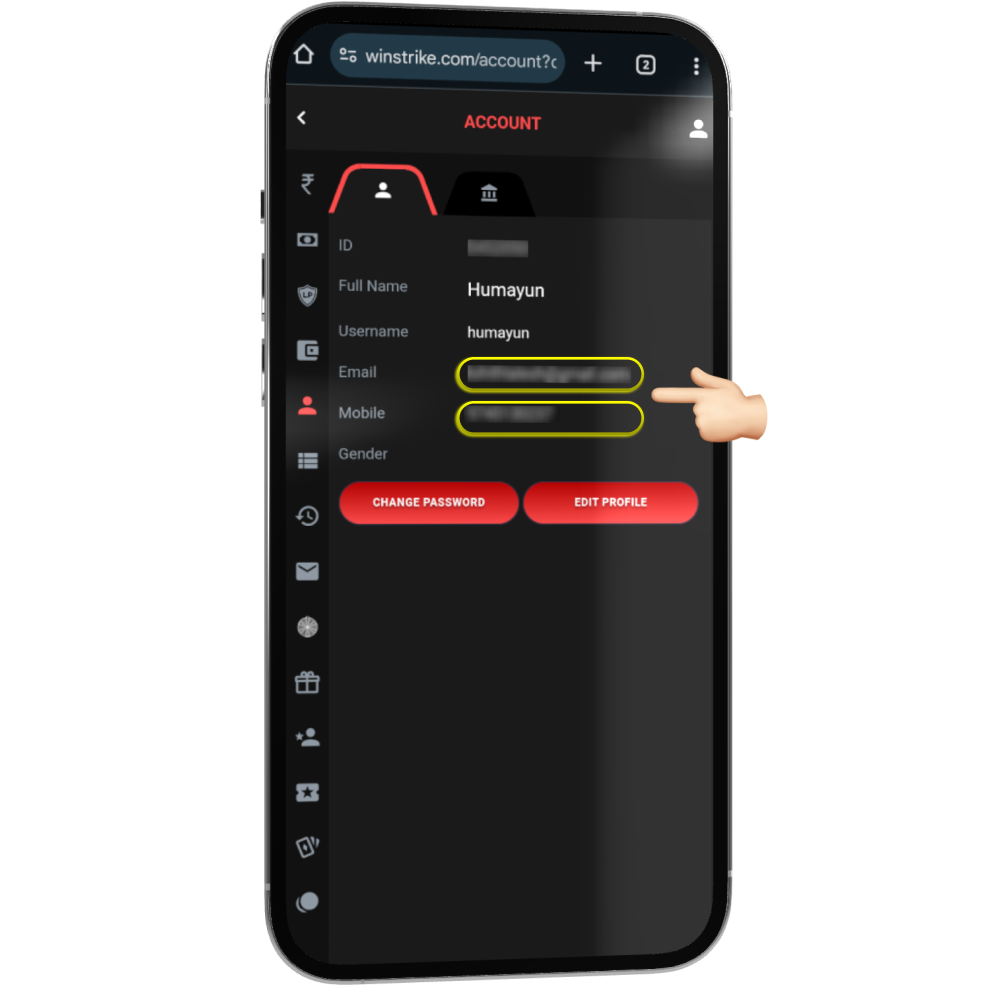
Why Choose Winstrike?
Lightning-Fast Cashouts
Enjoy instant withdrawal and deposit process in minutes.
Secure & Fair
Your safety is our priority with 100% secure transaction methods.
Exclusive Bonuses
Get daily rewards, free spins, and a massive welcome bonus.